Lock Date Range in Custom Dashboards

Decide what periode of time the dashboard should be viewed for
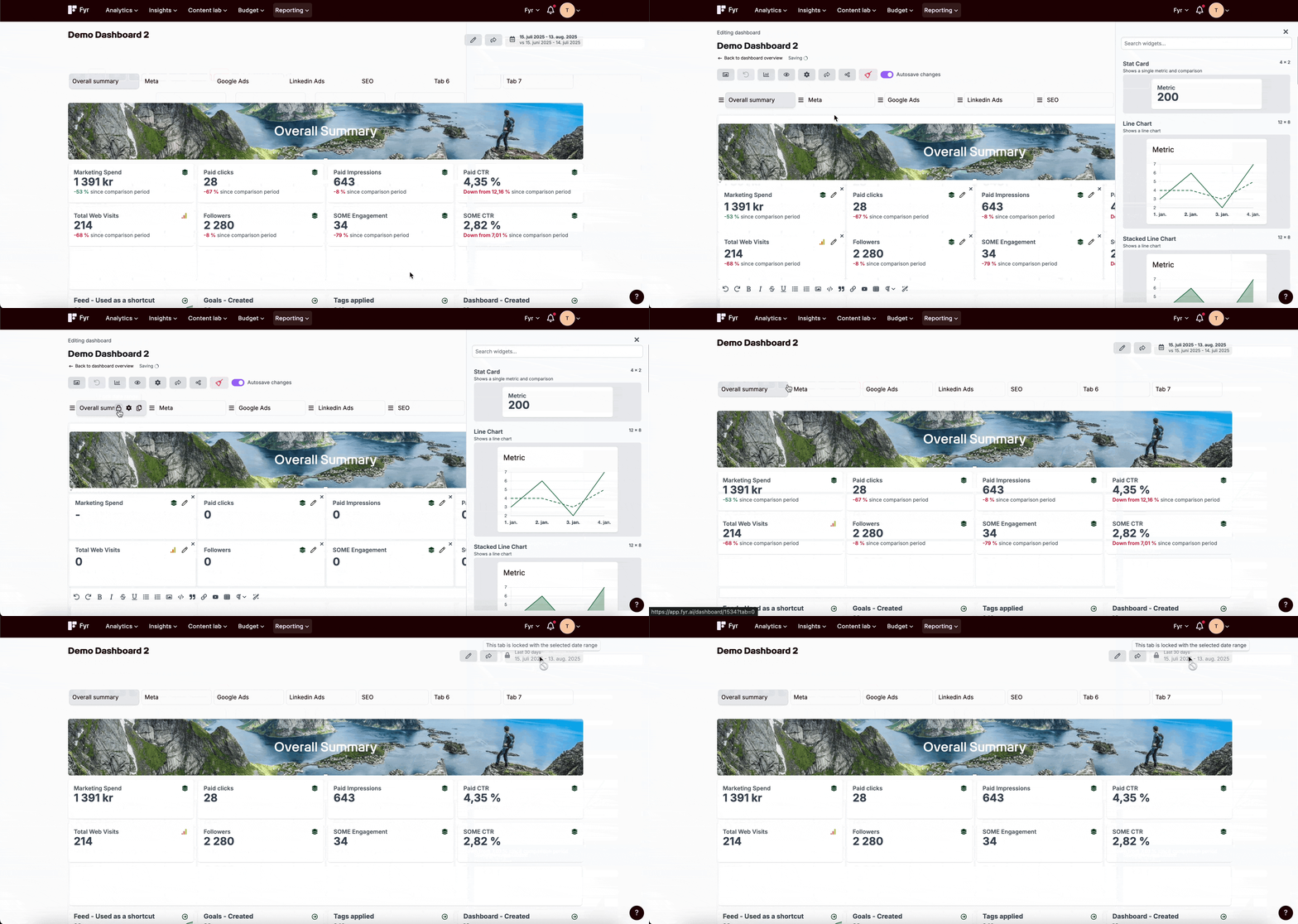
By clicking on the “Lock date range” icon in a tab in Custom Dashboards you are now able to lock the period of time you want the dashboard to be viewed by someone you have shared it to. Note that this can be done both for specific tab(s) or the entire dashboard.
How to do it?
- Go to either an existing or create a new dashboard in Custom Dashboards.
- In the existing or potential added tabs hover on the tab in edit mode and click on the “Lock date range” icon.
- The date will be locked for the set periode and comparison periode.
0
Please sign in to leave a comment.
Comments
0 comments