Grouping elements in dashboard
Completed
Often times we would like to be able to group elements together in our reports, so that we can add a heading and add several modules together to illustrate something specific. Perhaps this could be achieved with either a “group” module or setting background colors for certain areas. Or perhaps with a more advanced flex or grid system.
-
Official comment

Thanks for another great suggestion!
You'll be happy to hear that this is something we're actively looking into already, based on your feedback. We've identified an approach that we believe will work well – likely involving some form of grouping functionality that lets you organize related modules together (and setting background for the “group”). Basically, you will be able to create a “group”, and drag widgets to that specific group - and reorganize within.
This will also make the dashboard more optimal for mobile devices, and smaller screens, because it will responsive “within each group”.We can't commit to a specific timeline just yet, but this has been added to our backlog and something you can expect to see in Fyr down the line.
All the best,
Joe -
I´m happy to hear this :) Thanks!
0 -
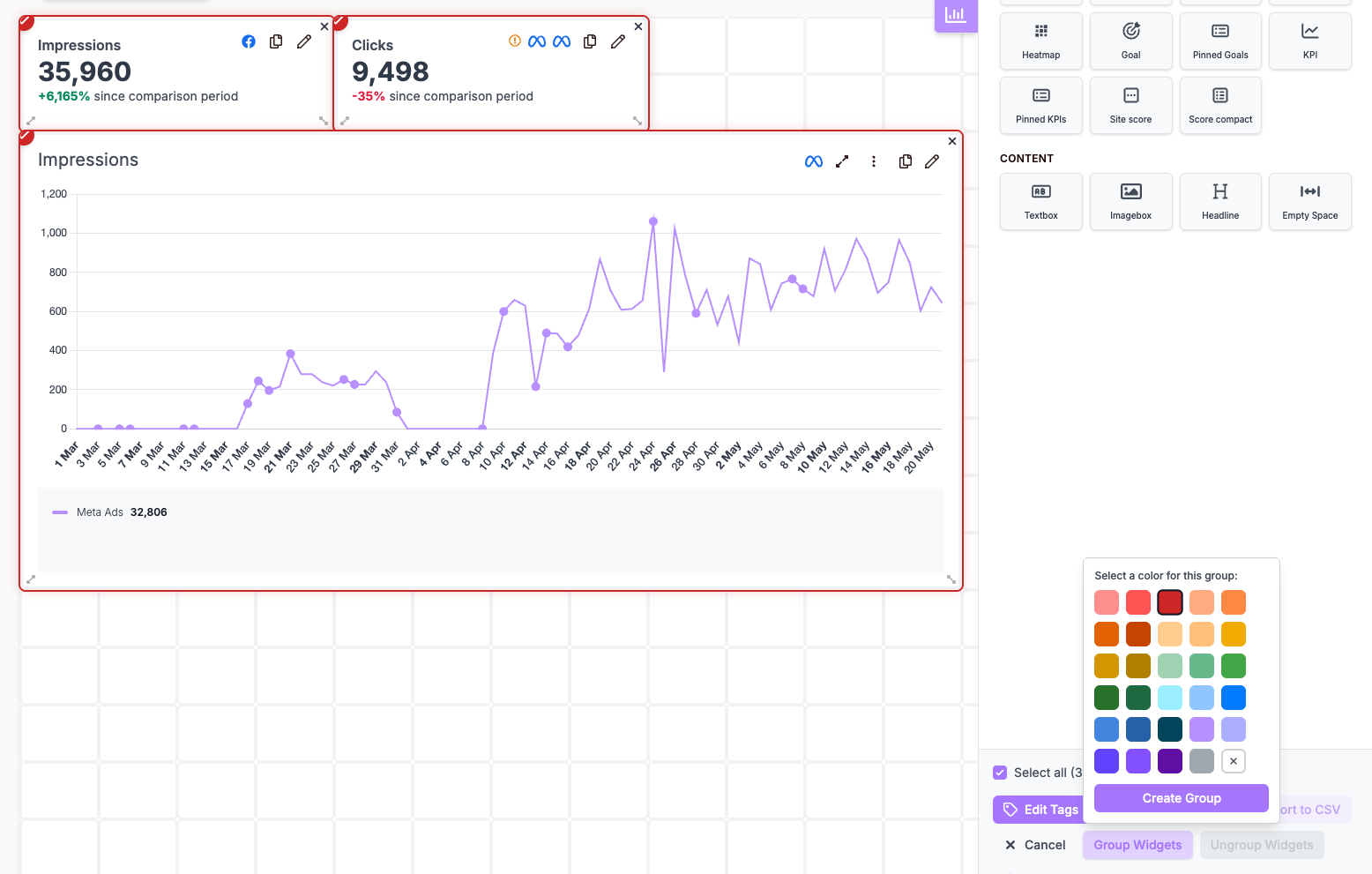
Sorry for the late reply on this, as the functionality has been live for some time already - meaning “Grouping” of widgets are now available in the platform.
Simply “Ctrl” + Click ("Cmd" + Click on Mac) to bulk select widgets, and group them together by using the “Create Group” option as shown in the screenshot (note - border color is optional).
 0
0
Please sign in to leave a comment.
Comments
3 comments