
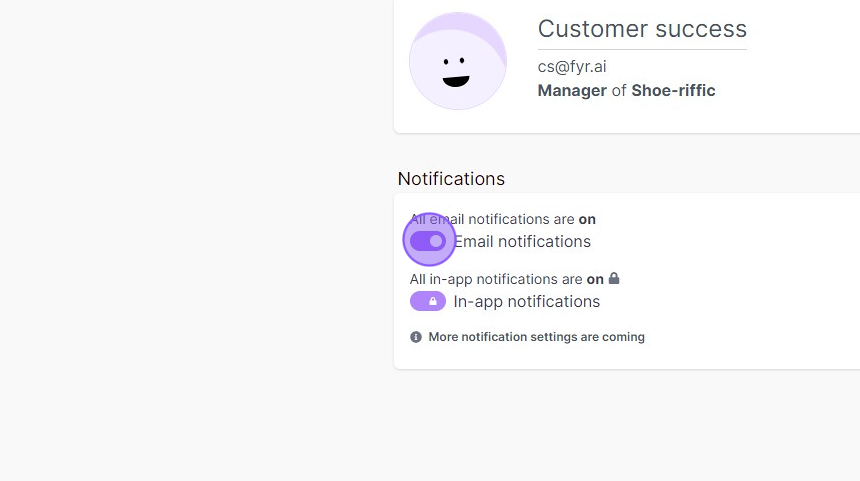
Fyr has two types of notifications: in-app notifications and email notifications. You can control your email notification preferences from your Profile settings. In-app notifications are always enabled to ensure you don't miss important updates.
Email notification settings
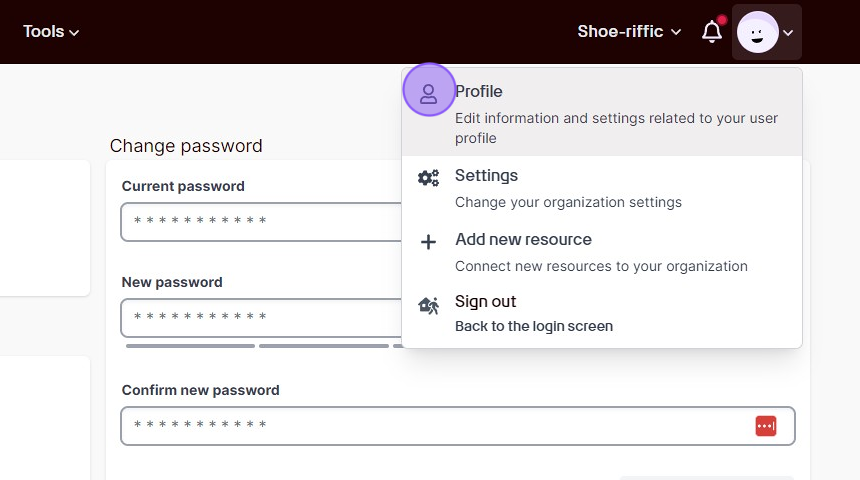
Your email notification settings are found in Profile settings (click your avatar in the top-right corner of the menu). The settings are organized into three levels:
1. Master toggle
Turn all email notifications on or off. When turned off, you will not receive any emails from Fyr — including summary digests and dead link alerts.
2. Summary digest frequency
Choose how often you receive a summary digest of unread notifications:
- Daily — receive a digest every day
- Weekly — receive a digest every Monday
- Never — do not receive summary digest emails
The summary digest includes account issues, token expirations, and other notifications you haven't read yet.
3. Per-organization preferences
If you have access to multiple organizations, you can control notifications for each one individually:
- Summary emails — include or exclude a specific organization from your periodic digest
- Dead link alerts — receive immediate email alerts when landing pages in that organization become unreachable
Use the "All organizations" row to toggle a setting for every organization at once, or configure each one separately.
If you only have access to one organization, you will see simple toggles for summary emails and dead link alerts instead of a table.
In-app notifications
In-app notifications are always enabled. These appear in the notification bell in the top menu and keep you informed about account activity, token expirations, and other important events in real time.
Need help?
If you have questions about notification settings or would like to request additional notification types, please reach out to us via the support link below.
How to edit your notification settings
If you feel like you're getting too many email notifications, or if you feel like there's other types of notifications you would like to receive, please send us a message via the link below.
Comments
0 comments
Article is closed for comments.