See the pages you rank for on a search term

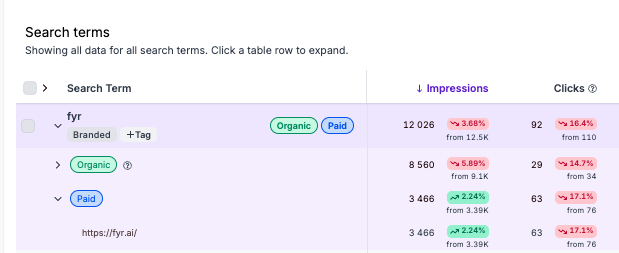
You can now more easily see what pages you are ranking for on a search term in the Search Term Report.
To do this:
- Navigate to the Search Term Report
- Click on the arrow left of the search term you want more detailed information for
- You will here receive a drop down menu where you can see what pages you rank for on both paid and organic search terms, and also the related results
0
Please sign in to leave a comment.
Comments
0 comments